

Edtech Video Production for Coursera-Type Platforms: What Indian Universities and Course Creators Must Get Right
By SR Creative Productions · 15 min read · October 2026
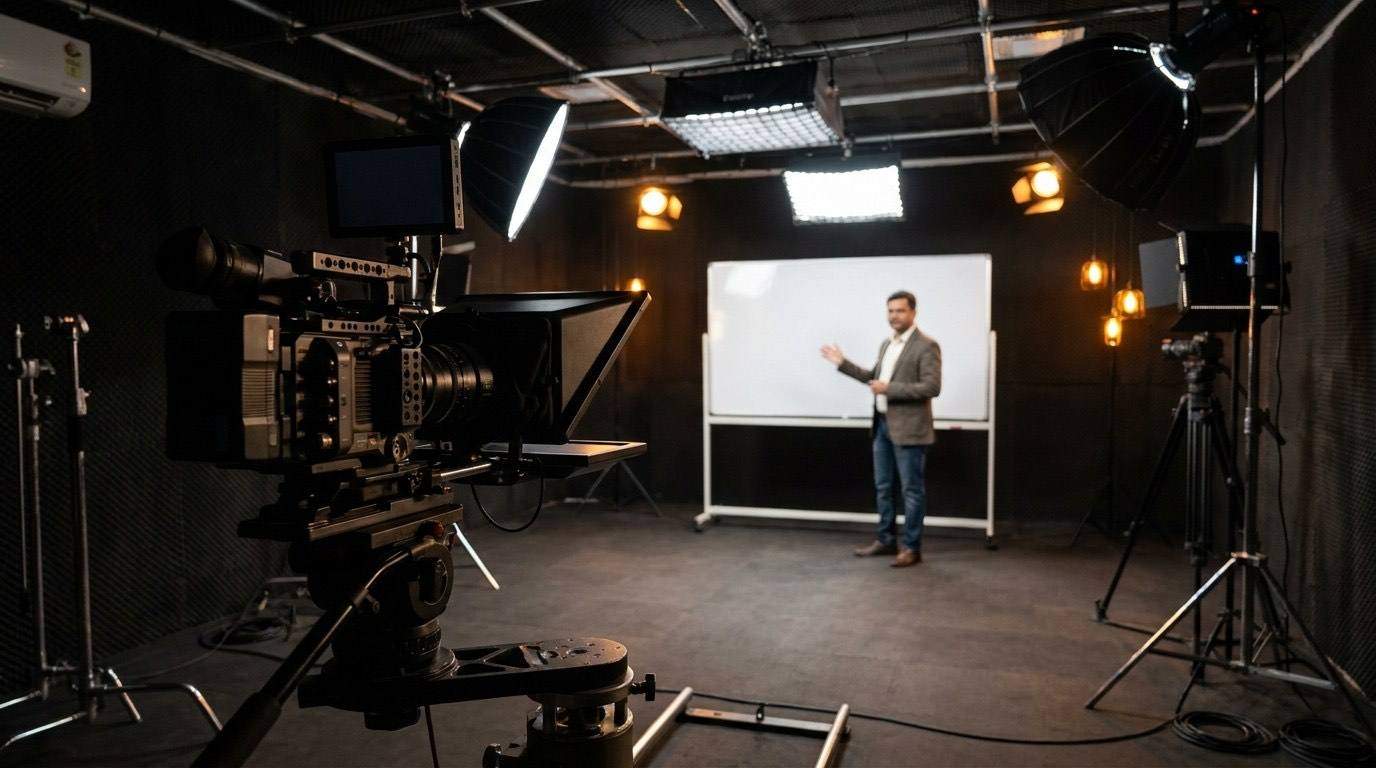
Publishing a course on Coursera, edX, Udemy, or LinkedIn Learning is no longer a vanity move for Indian institutions — it is a serious revenue and reputational channel. A well-produced course on a global platform can reach 50,000 learners in its first year and generate enrolment that no domestic marketing budget could match organically.
But here is the problem most teams run into: they treat the production as a filming exercise and discover — too late — that global platforms have strict quality standards that go well beyond "did the camera record." Courses get rejected. Reshoots are demanded. Launches are delayed by months.
This guide is written for edtech teams at Indian universities, ed-tech startups, and professional training organisations who are preparing to publish on Coursera-type platforms. It covers what each platform actually checks, how to structure and film your content correctly, what the post-production workflow looks like, and how much it costs when you work with a specialist production partner.
What Coursera-Type Platforms Actually Mean
When we say "Coursera-type platform," we mean any global or semi-global online learning marketplace where learners browse, enrol, and complete structured video-based courses — and where a quality review process stands between your content and a live listing. The major platforms in this category, each relevant to Indian edtech publishers:
- Coursera — Global leader, institutional partnership model, primarily universities and companies. Strongest brand for professional credentials and degree programs.
- edX / 2U — Strong in engineering, management, and liberal arts. Requires institutional affiliation for MicroMasters and Professional Certificate tracks.
- Udemy — Open marketplace, any expert can publish. Highest volume of learners but lower perceived credential value. Stringent audio-visual quality review.
- LinkedIn Learning — Closed platform; content is produced or licensed by LinkedIn, but partnership tracks exist for select organisations and individual experts.
- NPTEL / SWAYAM — India-specific, government-backed. Requires IIT or central university partnership. Technical specs differ significantly from global platforms.
Each platform has a different entry route, different quality standards, and a different learner expectation. What they share: a video review process that will reject content that fails their baseline. Understanding that baseline — before you film — is the difference between a launch in four weeks and a refilm in four months.
Platform-by-Platform Quality Standards
Coursera's quality bar is the highest of the open-enrolment platforms. Their content team reviews every course before it goes live and will flag issues across three categories: technical quality, pedagogical structure, and learner experience.
Technical requirements
What Coursera reviewers actually flag
- Audio with background hiss, echo, or inconsistent levels between takes
- Poor framing — subject too close, too far, or off-centre with no visual reason
- Slide content that is too text-heavy or unreadable at 720p playback size
- No clear learning outcome stated at the start of each video
- Missing or inaccurate captions
- Jarring jump cuts without transition treatment or b-roll
SR Creative verdict: Coursera production is not about perfection — it is about consistency. Consistent audio levels, consistent framing, consistent branded lower thirds, and consistent caption quality. A course that is visually simple but technically consistent passes. A course with impressive visuals but inconsistent audio does not.
edX's technical requirements are broadly similar to Coursera's, with slightly more flexibility on resolution (720p is acceptable, though 1080p is expected for new content). The more significant difference is in the pedagogical review.
edX courses under the MicroMasters or Professional Certificate tracks go through a more intensive review that evaluates instructional design — whether videos follow a clear problem-solution-practice structure and whether assessments are meaningfully connected to the video content.
Udemy is the most accessible platform for independent Indian experts and smaller edtech organisations — no institutional affiliation required. But Udemy's quality review is operationally rigorous. Every new course goes through a manual review before the first paid listing goes live.
The single most common rejection reason for Indian Udemy courses is audio quality — specifically room echo and inconsistent volume. This is not a microphone problem; it is a room treatment problem. Filming in a small room with soft furnishings (rugs, curtains, a bookshelf of books) dramatically reduces echo. A ₹3,000 foam acoustic panel behind the camera is enough for most home office setups.
LinkedIn Learning does not operate an open-submission model — content is produced by LinkedIn internally or by vetted partner organisations under contract. However, the quality benchmark LinkedIn Learning sets is worth understanding because it has become the de facto standard that enterprise buyers compare all edtech content against.
LinkedIn Learning content uses a tight studio or semi-studio format: clean single-camera setup, professional lighting, clear audio, minimal slide content integrated as lower-third overlays rather than full screen-share, and a conversational (not lecture) delivery style. If your content looks and sounds like LinkedIn Learning, it will pass any platform's quality review.
Structuring Content for Maximum Completion and Rating
Technical quality gets your course approved. Pedagogical quality determines whether it earns a 4.5-star rating and generates organic enrolment — or sits at 3.2 stars and slowly disappears from search.
The structure that consistently produces top-rated courses on global platforms:
Open every video with the learning outcome. Not a topic title — a specific, measurable outcome. "By the end of this video, you will be able to calculate CAC and know the three levers to reduce it." Learners need to know immediately why they are watching this segment and what they will be able to do with it.
Keep each module to 6–9 minutes. This is not a stylistic preference — it is what platform completion data consistently shows. A 45-minute lecture should become five or six modules of 7–9 minutes each. Structure the content break at a natural conceptual transition, not arbitrarily in the middle of a point.
Use motion graphics to anchor key concepts. Any statistic, definition, framework, or multi-step process should appear as a motion graphic overlay — not just spoken. Learners retain information significantly better when it is both heard and seen simultaneously. Lower thirds, animated diagrams, and keyword callouts are the minimum expected level of visual reinforcement on global platforms.
Close every video with a summary and a bridge. A 20–30 second recap of the key point covered, followed by a one-sentence preview of the next module. This dramatically improves module-to-module progression rate — learners who hear the bridge are significantly more likely to begin the next segment immediately.
Pair every 2–3 videos with a practice exercise or quiz. Platforms algorithmically favour courses with high engagement metrics, and interactive elements (quizzes, assignments, peer review prompts) are the primary driver of those metrics beyond video quality.
Need your course to pass Coursera or Udemy quality review?
SR Creative Productions has produced platform-ready edtech video content for institutions across India. We deliver correctly formatted, review-ready files — so your course launches on schedule.
Talk to our team →The Post-Production Workflow for Platform-Ready Content
Most edtech teams significantly underestimate how much post-production goes into a platform-ready course video. Here is what a professional workflow actually involves from raw footage to final delivery:
Rough cut and pacing: Remove filler words, awkward pauses, retakes, and off-topic tangents. Set the speaking pace rhythm — the edit should feel natural, not rushed or slow. This typically results in removing 20–35% of the raw recording duration.
Colour correction and grading: Even well-lit footage needs colour correction for consistency across multi-day shoots. Skin tones, background neutrality, and exposure consistency across all videos in a module are adjusted here.
Audio mastering: Noise reduction, de-reverb (essential for office recordings), breath removal, consistent level normalisation to the platform's target LUFS specification, and de-essing to remove harsh 's' sounds. This is where most self-produced courses fail their platform review — the mastering step is routinely skipped.
Motion graphics integration: Lower thirds (name/title cards), chapter title cards, animated concept diagrams, keyword callout animations, and slide content reformatted for 16:9 video screen (not presentation mode). This is the most time-intensive phase of post-production for a comprehensive course.
Caption generation and QC: AI-generated transcript as a starting point, then manual review for accuracy — especially for technical terminology, proper nouns, and Indian English pronunciation patterns that AI captioning consistently mishandles. Delivered as SRT (Coursera, edX) or VTT (edX, Udemy).
Platform encoding and QC export: Each platform has specific encoding requirements. Files are exported at the correct codec, bitrate, resolution, and audio specification, then spot-checked for encoding artefacts before delivery. This step also includes thumbnail creation for each video module.
Production Cost Guide — India 2026
Costs below are for professional production meeting Coursera/edX quality standards. These assume filming is handled either by the institution (self-filmed) or by SR Creative Productions on location.
| Service | Rate (per finished hour) | Typical Timeline |
|---|---|---|
| Post-production only (editing, audio, captions) | ₹10,000 – ₹18,000 | 3–5 working days/hr |
| Post-production + motion graphics | ₹18,000 – ₹30,000 | 5–8 working days/hr |
| Full-service: filming + post (talking head) | ₹30,000 – ₹55,000 | 1–2 weeks/hr finished |
| Animated explainer modules | ₹45,000 – ₹90,000 | 2–4 weeks/hr finished |
| AI avatar presenter modules | ₹18,000 – ₹32,000 | 3–6 working days/hr |
| Course retainer (10+ hrs/month) | Custom — contact us | Rolling monthly |
For organisations producing more than 8 hours of course content per month, a retainer arrangement delivers significantly lower per-hour costs and guaranteed turnaround time. SR Creative Productions offers structured monthly retainer packages for edtech companies publishing ongoing course content on global platforms. Contact us at elevate@srcreativepro.com for a custom quote.
Common Mistakes Indian Edtech Teams Make
1. Filming all modules in a single long day
Energy, vocal quality, and delivery all degrade significantly across a day of filming. Courses filmed in one marathon session are immediately identifiable by reviewers — and by learners. Plan a maximum of 3–4 hours of filming per day, with the most technically demanding content in the morning. A two-day film schedule for a 10-module course delivers noticeably better results than a single 8-hour day.
2. Using presentation slides directly as video content
Slides designed for a projector in a lecture hall fail on a 1920×1080 video screen. Text is too small at playback size, bullet lists are too information-dense, and the visual hierarchy that works in a room does not translate to a screen. Slides used in course videos must be redesigned — fewer words, larger text, visual-first layout, and animations that reveal content progressively rather than appearing all at once.
3. Ignoring the background consistency requirement
If you film module 1 in front of a bookshelf and module 7 in front of a plain wall, learners notice and reviewers flag it. The background must be identical across all filming sessions for a single course. If the filming location changes (for example, a faculty member was filming from home during one session), use colour grading to match the visual tone and, if necessary, reshoot the inconsistent segments before submission.
4. Submitting auto-generated captions without review
Auto-generated captions from any AI tool routinely mishandle Indian English accents, technical terminology, proper nouns, and code/formula reading. Submitting auto-generated captions without manual review is the fastest route to a platform rejection and, if the course goes live, a stream of negative reviews citing accessibility issues. Budget for manual caption QC — it is not optional for a professional course listing.
5. No branded visual identity across the course
On Coursera and edX, every video in a course should share a consistent visual system — the same lower-third design, the same intro/outro, the same motion graphic colour palette, the same font. A course that looks visually consistent signals professionalism and institutional authority. A course where each module looks slightly different signals that it was assembled rather than designed.
How SR Creative Productions Supports Platform Publishing
We work with Indian universities, edtech companies, and individual subject matter experts to produce course video content that passes platform quality review and earns strong learner ratings. Our standard offering for Coursera/edX-type platform production includes:
- Pre-production review of slide decks and course structure with platform-specific recommendations
- On-location or studio filming (Mumbai-based, with travel capability across India)
- Full post-production: editing, colour, audio mastering, motion graphics, lower thirds
- Platform-specific encoding presets for Coursera, edX, Udemy, and SWAYAM/NPTEL
- Manual SRT caption production with 98%+ accuracy guarantee
- Thumbnail design for every video module
- Pre-submission QC review against platform quality checklist
- 48–72 hour standard turnaround on post-production batches
We have produced academic video content for institutions running programs on Coursera and proprietary LMS platforms, and for professional training organisations publishing on Udemy. Every project is delivered to a specification that we have confirmed against each platform's current quality guidelines.
Ready to publish on a global learning platform?
Send us your course brief and we will scope the production, flag any platform-specific requirements, and give you a fixed-price delivery timeline. No obligation.
Get a production scope →Frequently Asked Questions
What video quality does Coursera require for course content?
Coursera requires H.264-encoded MP4 files at 1920×1080 (1080p), 16:9 aspect ratio, minimum 5 Mbps bitrate. Audio must be AAC stereo at 192 kbps or higher, normalised to approximately −14 LUFS. Closed captions in SRT format are mandatory. The content team also reviews production quality and may request reshoots if audio quality, lighting, or framing falls below their standard.
Does Udemy have video quality requirements for instructors?
Yes. Udemy requires a minimum of 1280×720 (720p), though 1080p is preferred. Audio must be clear with no distracting background noise — Udemy's quality review team routinely rejects courses with echo, low volume, or inconsistent audio. Video must be well-lit with no pixelation or encoding artefacts. Udemy also requires at least 30 minutes of content for a paid listing.
How much does it cost to produce a Coursera-quality video course in India?
Post-production only (editing, audio mastering, captions, no motion graphics) runs ₹10,000–₹18,000 per finished hour. Full-service production including filming and motion graphics for a talking-head lecture format costs ₹30,000–₹55,000 per finished hour. Animated modules cost ₹45,000–₹90,000 per finished hour. Most multi-hour courses are handled on retainer at preferential rates.
Can Indian edtech companies publish on Coursera without a university partner?
Coursera's standard model requires institutional affiliation. However, Coursera for Business and the Guided Projects track have more flexible entry routes. edX, LinkedIn Learning, and Udemy each have different access models. Udemy requires no institutional affiliation — any subject matter expert can publish after passing quality review.
What is the biggest mistake Indian edtech companies make when producing video for global platforms?
Treating the video as a lecture recording rather than a structured learning product. Each video must open with a clear learning outcome, break content into 6–9 minute modules, use motion graphics to reinforce key concepts, and close with a summary and bridge to the next module. Content that passes the technical quality bar but fails the pedagogical structure test earns poor learner ratings — which determine long-term visibility on the platform.