

MOOC Video Production in India: The Complete Guide for Universities (2026)
By SR Creative Productions · 13 min read · October 2026
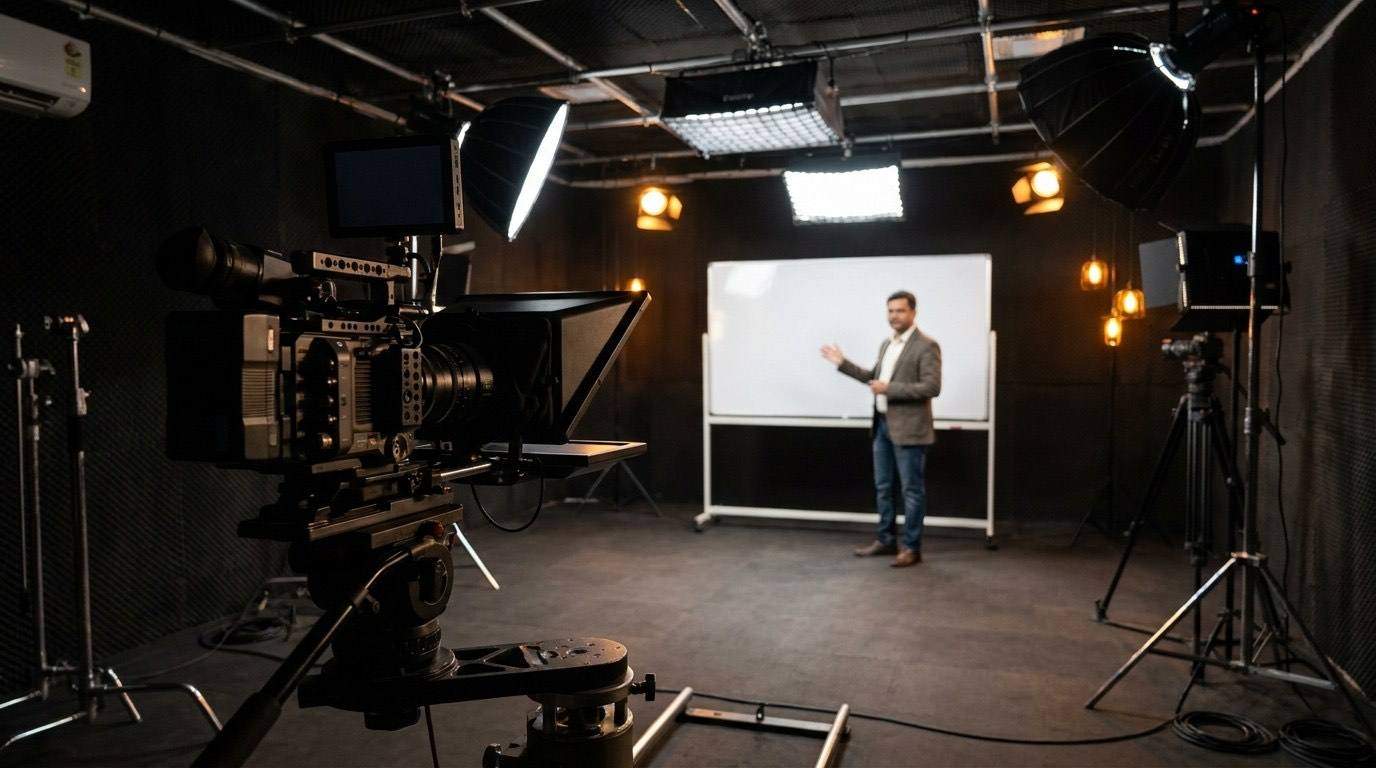
India is the world's second-largest MOOC market. With over 15 million registered learners on Coursera alone, and NPTEL delivering over 1,900 courses to Indian students, the demand for high-quality academic video content has never been higher.
Yet when most Indian university teams sit down to plan their first MOOC, they face the same set of questions: What are the technical specifications? How should lectures be filmed and edited? What does it actually cost? How long will it take? And who can help us do it at scale?
This guide answers all of that — drawn from our experience producing academic video content for institutions running programs on Coursera, edX, and proprietary LMS platforms across India.
Part 1: What MOOC Video Production Actually Involves
MOOC video production is not the same as recording a lecture and uploading it. It is a defined production pipeline with distinct phases, each requiring specialist skills:
Pre-production: Scripting or outline review, set design (even for simple office recordings), teleprompter setup if required, camera and lighting check, slide deck adaptation for video format (what works on a projector does not work on a 1080p screen).
Production: Multi-camera filming of the faculty, screen capture of presentations or demonstrations, any animated inserts or b-roll filming. For distributed institutions, this may involve filming at multiple campuses or faculty home studios.
Post-production: Editing and sync, colour correction, audio mastering, motion graphics (lower thirds, chapter cards, slide overlays, key term callouts), closed captions (SRT/VTT), branded intro/outro, quality control, and platform-specific encoding and delivery.
Platform delivery: Upload, metadata entry, thumbnail creation, chapter marker tagging, learner accessibility review — the final step that most teams underestimate in terms of time.
Part 2: Platform Delivery Specifications
Every MOOC platform has specific technical requirements. Getting these wrong means re-encoding and re-uploading — which costs time and often delays program launch. The most common specifications:
Coursera
edX
NPTEL / SWAYAM
SR Creative Productions maintains export presets for all major MOOC platforms. When you work with us, you never need to cross-reference platform documentation — we deliver correctly formatted files for your specific platform with every batch.
Part 3: Video Length — What the Research Says
The most common mistake institutions make when planning their first MOOC is replicating the structure of a classroom lecture. A 45-minute lecture format does not translate to an online learning environment.
Research from MIT's Office of Digital Learning and Coursera's own platform data consistently shows:
- Median engagement drops below 50% for videos longer than 12 minutes
- Completion rate peaks at 6–9 minutes per segment
- Videos with chapter navigation markers show 31% higher average watch time
- Including a brief recap at the start of each video increases second-session viewing by 22%
The practical implication: a traditional 45-minute lecture should become 5–6 distinct video modules of 7–9 minutes each, with a clear concept title for each. This is not a downgrade of the content — it is a translation of it for a different consumption context.
Part 4: Filming Setup for University Faculty
You do not need a broadcast studio to produce professional MOOC content. You need controlled conditions. Here is what matters most:
Lighting (most critical)
Natural light from a window is excellent — position the faculty member facing the window, not side-on or with the window behind them. For consistent multi-day filming, use a simple 3-point LED lighting setup (key light, fill light, rim/backlight). Budget: ₹15,000–₹40,000 for a kit that will last through the full program.
Audio (second most critical)
A lapel (lavalier) microphone clipped to a shirt collar delivers better results than a standalone USB mic on a desk. Budget: ₹3,000–₹8,000 for a quality wireless lapel. The Rode Wireless GO II is the standard recommendation for Indian academic setups.
Camera
A DSLR or mirrorless camera (Sony A6400, Canon M50) at 1080p delivers more than adequate quality. If the institution has a modern iPhone 14 Pro or later, 4K video from the rear camera is a workable alternative for talking-head segments. A dedicated webcam (Logitech Brio) is the minimum acceptable quality for screen-recorded demonstrations.
Background
A clean, neutral wall or a simple bookshelf is better than a printed backdrop. The background should not compete visually with the speaker. Avoid busy patterns, distracting objects, and anything that cannot be replicated exactly in subsequent filming sessions (consistency matters across a multi-module program).
Planning a MOOC program for your institution?
We offer a free pre-production consultation for university teams — covering filming setup, post-production scope, and realistic cost and timeline estimates for your specific program.
Request a Free ConsultationPart 5: The Post-Production Workflow for Academic Video
Here is the exact sequence SR Creative Productions runs for every MOOC post-production engagement:
Ingest and proxy generation. Raw footage is received, logged, and proxy files generated for editing. We accept any camera format — no re-shooting required due to codec mismatch.
Rough cut assembly. Editor assembles the interview or lecture cut, syncing to audio, removing dead air and obvious errors. This is the structure pass — content accuracy, not polish.
Graphics and captions pass. Branded lower thirds are added, chapter cards placed at defined breakpoints, slide overlays or screen capture inserts integrated, and auto-transcript generated and corrected to 98%+ accuracy.
Colour and audio mastering. Colour grade applied for consistency with the program's established look. Audio normalised, EQ'd, and noise-reduced. Output levels checked against platform loudness targets (typically -14 LUFS for MOOC platforms).
Quality control review. Frame-accurate check: graphic accuracy, caption sync within 2-frame tolerance, audio level compliance, encoding spec match, brand compliance. Signed off by a senior editor before delivery.
Delivery. Platform-ready file plus SRT caption file, thumbnail image at platform-specified dimensions, and a delivery manifest listing all files with checksums for your records.
Part 6: MOOC Production Costs — Realistic India Benchmarks
Cost varies significantly based on scope, volume, and how much of the production chain you're outsourcing. Here are honest benchmarks based on real engagements:
| Production Scope | What's Included | Cost per Finished Hour |
|---|---|---|
| Post-production only You supply raw footage | Edit, colour, audio, motion graphics, captions, delivery | ₹8,000 – ₹15,000 |
| Full service — talking head Filming + post | On-location or studio filming (1 day), full post-production | ₹25,000 – ₹40,000 |
| Full service — animated No faculty filming required | Script adaptation, 2D animation, voiceover, delivery | ₹40,000 – ₹80,000 |
| AI avatar module AI-generated faculty avatar | Avatar video generation, lip sync, post-production, delivery | ₹18,000 – ₹30,000 |
For a 15-credit online program with 30 hours of video content, a realistic post-production budget at the standard tier is ₹2.4L – ₹4.5L. Full-service production (filming + post) for the same program runs ₹7.5L – ₹12L — still substantially below the equivalent cost from a traditional broadcast facility.
Institutions committing to 30+ hours of content per academic year qualify for program retainer pricing — typically 25–35% below per-video rates. This includes a dedicated production manager, priority turnaround, and a pre-built brand template library maintained by our team throughout the engagement.
Part 7: Timeline Planning for MOOC Programs
The most common planning mistake is underestimating how long post-production takes. A rule of thumb: for every hour of finished video content, budget 3–4 hours of post-production time across the pipeline. Here is a realistic timeline for a 30-hour program:
- Week 1–2: Brand template build, intake of first footage batch, delivery preset configuration
- Week 3–8: Ongoing module production — typically 4–6 modules (3–4 finished hours) delivered per week
- Week 7–9: Platform upload, metadata, thumbnail generation, accessibility review
- Week 9–10: Final QC, faculty review revisions, programme launch
Institutions that try to compress this to 4 weeks for a 30-hour program either receive lower quality or miss their launch dates. Plan for 8–10 weeks for a full program, or phase the launch (publish Module 1 first, continue production in the background).
Ready to start planning your MOOC?
Talk to our academic production team — we'll help you scope your program, estimate costs accurately, and build a production schedule that fits your academic calendar.
Get a Scoping CallFrequently Asked Questions
What are the video specifications for Coursera course videos?
Coursera requires H.264 encoded MP4 files at 1920×1080 (preferred) or 1280×720, 16:9 aspect ratio, minimum 5 Mbps bitrate. Audio should be AAC stereo at 192 kbps or higher. Closed captions are required in SRT format. Maximum file size is 4 GB per video.
How long should a MOOC lecture video be?
Research from MIT and Coursera shows MOOC completion rates peak for videos between 6 and 9 minutes. Videos exceeding 12 minutes see significant completion drop-off. Break complex topics into 6–8 minute segments rather than recording one continuous long lecture.
What does MOOC video production cost in India?
Post-production only: ₹8,000–₹15,000 per finished hour. Full-service (filming + post) for faculty interview-style: ₹25,000–₹40,000 per hour. Animated explainer modules: ₹40,000–₹80,000 per hour. Volume retainer pricing available for programs with 30+ hours of content per year.
Do MOOC videos need subtitles?
Yes — captions are mandatory on Coursera, edX, and most major MOOC platforms. Platforms require SRT or VTT format caption files at 95%+ accuracy. SR Creative Productions delivers WCAG 2.1-compliant caption files with every video deliverable.
Can we produce MOOC videos without a professional studio?
Yes. Many successful MOOCs are filmed in faculty offices with simple lighting and a quality lapel microphone. What matters is consistent lighting, clean audio, and a neutral background. Post-production can correct most office recording imperfections.